Small-Batch Multi-Variety Production Scheduling Software: Dynamic Scheduling with Second-Level Rush-Order Response
2026-09-23 08:35:17
A precision parts machining factory in Taicang, Jiangsu has eight CNC machines on its shop floor. Customer orders differ every time - sometimes automotive parts, sometimes medical device components, occasionally aerospace test pieces. Every order is a small batch, as few as 3 pieces, at most 30.
The owner, surnamed Li, is 47 and has worked in machining for more than 20 years. Every morning he arrives at the company, makes a cup of tea, walks one loop around the shop floor, then returns to his office and opens Excel. He calls this production scheduling.
I. The Scheduling Dilemma of Small-Batch, Multi-Variety Workshops: Why Excel Gets Messier the More You Use It
Mr. Li's Excel file has a dozen or so worksheets, corresponding to different customers, different machines and different time periods. Each worksheet lists order numbers, operations, estimated work hours and expected completion dates. On paper, the structure looks quite clear.
The problem is change.
Last Wednesday, Customer A called saying a batch of medical device housings had to be delivered 5 days early because the hospital was pushing hard. Mr. Li moved two rows of orders up in Excel. Right after he finished, Customer B said the original order of 20 pieces was canceled - only 5 remained. Mr. Li deleted a dozen-plus rows of data from that sheet.
When Shop Supervisor Zhang came over to ask "what is machine No. 3 running this afternoon", Mr. Li stared at the screen for a long moment: his rearrangement had not been saved yet, and machine No. 3, originally scheduled for Customer C, had gotten squeezed into Customer A's order.
This is the everyday reality of scheduling in small-batch, multi-variety production: frequent rush orders, uneven batch sizes, varied operations, and utilization that is nearly impossible to calculate accurately. Scheduling on paper or in Excel means every change is a manual reshuffle, and after each reshuffle you must confirm separately with the shop supervisor, team leaders and the operator of every machine - half a day gone in one round.
There are at least several thousand factories like this in the Yangtze River Delta. Their scheduling pain points cluster around a few areas:
- Capacity utilization cannot be calculated accurately. Each CNC's actual machining time always differs from preset work hours; Excel only holds fixed values, and at month-end you discover one machine sat idle for 3 weeks while another ran overtime.
- Rush-order costs spiral out of control. Small-batch orders keep arriving unannounced; once the original sequence is disrupted, which orders slip, by how long, and which machines are affected all depend on human judgment - miscalculate and you lose the order.
- Outsourcing schedules are disconnected. Some operations cannot be done in-house and must be sent out, but the vendor's capacity, expected completion time and return date can only be chased over WeChat; by the time the vendor answers, 3 days may already be lost.
- Delivery promises are guesswork. A customer calls asking "when will my parts be ready"; the owner says "let me check the schedule", stares at Excel blankly for 5 minutes, and offers "probably next Wednesday" - with no real confidence underneath.
In the fourth quarter of last year, Mr. Li ran the numbers: delay penalties, expedited freight and lost customers caused by scheduling chaos totaled more than 200,000 RMB. That number convinced him he could no longer manage scheduling with Excel.
II. What Does Scheduling Software Actually Solve? A Breakdown of Core Functions
The Moges intelligent scheduling module is built on the Google OR-Tools optimization engine, designed specifically for small-batch, multi-variety scenarios. Its core logic: feed in real machine capacity, standard work hours per operation, staffing and outsourcing resources, and the system automatically computes the optimal time slot for every operation on every machine, while giving each order's expected completion time.
It sounds abstract, but in practice it comes down to a few core moves.
Step one: the system automatically builds the initial plan. In the morning, Mr. Li opens the mobile app and sees today's production plan, generated automatically overnight from the latest orders: machine No. 1 runs Customer C's 5 automotive brackets, machine No. 2 makes Customer A's medical device housings, machine No. 3... Every machine's tasks, times and work hours are laid out clearly.
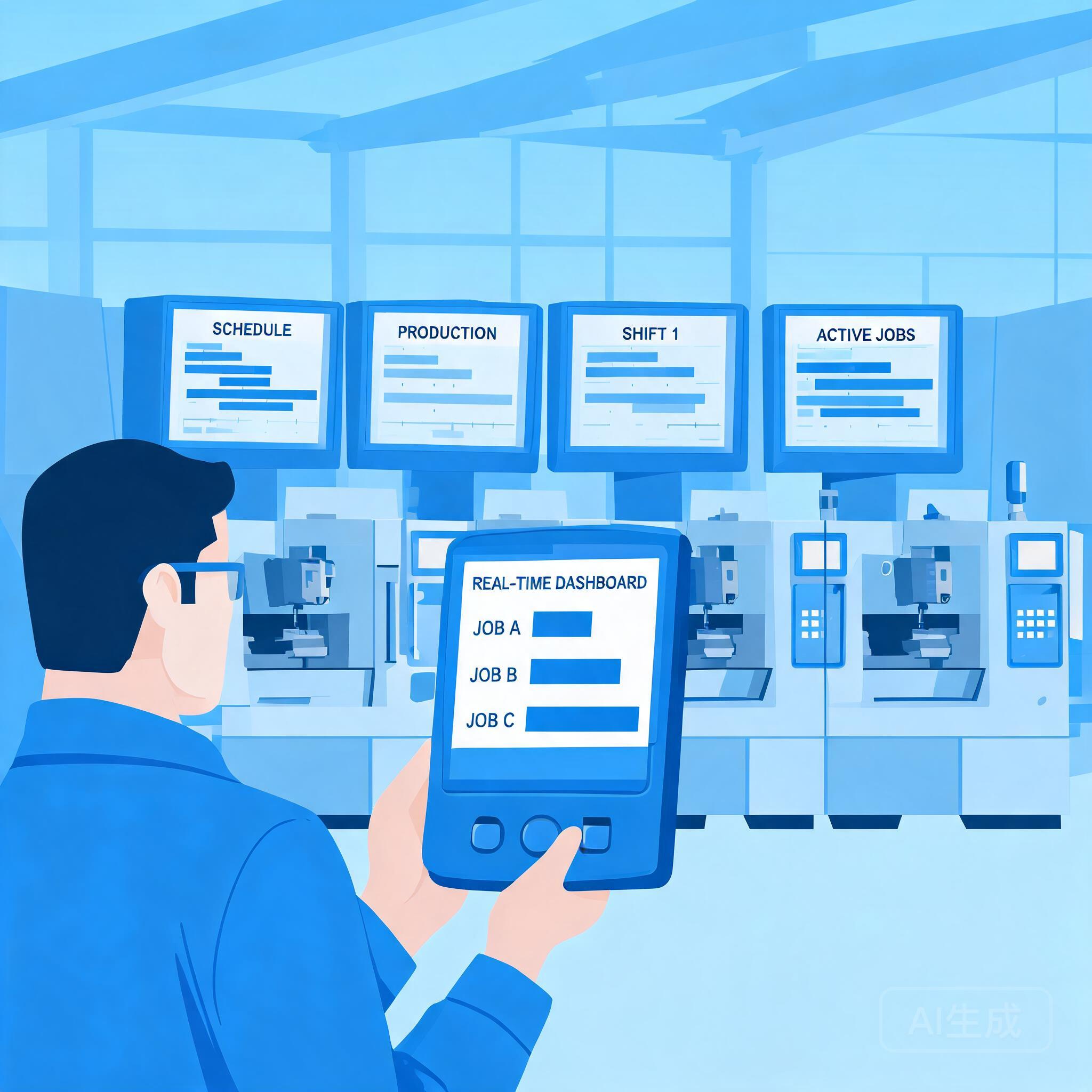
Step two: one-click rush-order rescheduling. In the afternoon, Customer B says the canceled order is back on, now for 18 pieces. Mr. Li taps "add rush order" on the PDA, enters the order information and desired delivery date, and within 3 seconds the system resequences tasks across all machines and produces a new timetable: a part originally set for Thursday moves to Friday, another order's delivery date unchanged. The system also automatically lists which machines need overtime and by how many hours.
Step three: anomalies trigger automatically. At 3 p.m., machine No. 2's spindle develops a problem and the operator logs an "equipment fault" on the PDA. The system immediately detects that 4 orders are queued behind machine No. 2, automatically moves 2 of them to machine No. 3 (which only had morning work scheduled and is free in the afternoon), and notifies both the owner and the shop supervisor. By the time Mr. Li receives the WeChat alert on his phone, machine No. 3 has already started the new task.
Beyond automatic scheduling and dynamic rescheduling, several other functions are especially valuable for small-batch workshops:
- Operation dependency graph. A part typically passes through four operations: blanking, rough machining, finish machining and inspection. The system automatically identifies which operations can run in parallel and which must wait for the previous one, preventing rookie errors like "finish machining scheduled before rough machining".
- Capacity heat map. On a big screen the owner sees at a glance whether each machine in each time slot is green (full load), yellow (70% utilization) or red (idle). Machines idle for more than 8 hours trigger an automatic yellow-light alert.
- Outsourcing management. The system schedules outsourcing vendors as virtual workshops; enter a vendor's capacity and lead time, and the system automatically slots the outsourced operations into the plan, folding return dates into the master schedule.
- Delivery forecasting. When a customer calls asking about progress, Mr. Li enters the order number on his phone and the system instantly shows the current operation, expected completion time and any risky steps - a precise answer for the customer.
III. Choosing Scheduling Software: Avoid These 5 Pitfalls
The market has no shortage of APS (advanced planning and scheduling) software, from international packages costing hundreds of thousands of RMB to domestic ones at tens of thousands. But small-batch, multi-variety workshops are special, and many generic APS products fit them poorly. Keep these key questions in mind when choosing.
| Dimension | Moges intelligent scheduling | Big-name international APS | DIY Excel / generic Gantt chart |
|---|---|---|---|
| Small-batch fit | Designed for multi-variety, small-batch; schedules from a single piece | Built for large flow lines; performs poorly below batches of 10 pieces | Fully manual; chaos once orders pile up |
| Rush-order response | Re-sequences all orders within 3 seconds | Computation takes minutes or longer | Half an hour to half a day, all manual |
| Implementation cycle | 1-2 weeks from basic data to go-live | 2-6 months with heavy custom development | No implementation cycle, but unreliable |
| Integration with existing MES/ERP | Standard API integration with Moges' own MES, two-way sync | Extra interface development required, high cost | Manual copy and paste |
| Outsourcing scheduling | Treats vendors as virtual workshops, included in the schedule with one click | Largely no support for dynamic outsourcing scheduling | Ask the vendor on WeChat, estimate yourself |
| Learning curve | Owner uses the mobile app, shop supervisor the big screen - simple and intuitive | Requires a dedicated planner trained in complex operations | Anyone who knows Excel can use it, but results depend entirely on experience |
A few easily overlooked points as well.
Check whether the system supports switching between scheduling modes. Some orders require "deliver late if necessary, but complete the whole batch in one run"; others require "split wherever possible and deliver part first". Good scheduling software should let the owner toggle between the two modes with one click, re-scheduling automatically under each strategy.
Check whether data collection connects automatically. If the shop's CNC machines are already networked, the system can read each machine's run time and actual machining duration directly, so the work-hour data behind the schedule is computed from reality rather than typed in. Schedules built on such data execute 30%+ better than purely manual entries.
Finally, look at the pricing model. Big-name international APS usually charges by factory size and modules, with entry prices above 500,000 RMB. Moges' scheduling module is sold as part of its mold MES under a buy-out model suited to small and mid-sized machining factories. Mr. Li's precision factory spent less than 100,000 RMB and went live within a week.
IV. A Real Case: Three Weeks of Scheduling Transformation at the Taicang Factory
Last October, Kunshan Moges signed the scheduling transformation project for that precision machining factory in Taicang. Owner Li had been scheduling entirely in Excel; the shop runs 8 CNC machines with 40-plus orders per week and batch sizes from 2 to 50 pieces.
Moges' implementation engineers spent 3 days on the shop floor. The first thing they did was not install software - it was sitting beside each CNC recording data: how long each order actually took from start to finish, which operations frequently needed rework, which machines had low yield rates. That data later became the core parameters of the schedule.
In week one, all 20-plus existing Excel scheduling sheets were imported into the system, along with capacity data for the 8 CNC machines, standard work hours for 20-plus common operations, and the machining capacity of 3 outsourcing vendors. The system produced an initial schedule, and the engineers went through it line by line with Mr. Li against the big screen, spending 2 days tuning parameters so the schedule matched shop-floor reality.
Week two was the trial run. For the first 3 days, the shop supervisor still scheduled with his own Excel and treated the system's plan as reference only. On Thursday, an urgent order arrived - a medical device bracket due in 3 days. Mr. Li remembered the system's rush-order function and, half-expecting nothing, entered the order number and desired delivery date on the PDA. Three seconds later, the system produced a new schedule: machine No. 3 would start at 2 p.m., with a batch of parts originally scheduled there moved to machine No. 2. The operator of machine No. 3 saw his task change and began working to the new timetable; the bracket was finished on time.
By the end of week two, nobody in the shop was scheduling with Excel anymore.
Week three wrapped up with two shop-floor displays: one at the shop entrance showing each CNC's current status and the day's task completion rate; one in Mr. Li's office showing the week's on-time delivery rate, a capacity utilization heat map and anomaly alerts.
Three months later, Mr. Li called Moges for a follow-up. He said orders used to slip 2-3 times a month on average; now three months had passed without a single delay caused by scheduling. What pleased him most: when customers ask about progress, he can give an answer precise down to "inspection completes tomorrow at 4 p.m.", and customers say "you are far more professional than before".
V. Closing Thoughts
The scheduling challenge of small-batch, multi-variety production is essentially not a matter of "tools not being advanced enough" - it is that change is too fast and there are too many variables for human brains and Excel to compute. Capacity fluctuations on every machine, the urgency of every order, vendors' delivery times: these change every day, and manual scheduling can never keep up.
Moges has spent 15 years deep in the mold and machining industries, serving more than 200 manufacturing enterprises in the Yangtze River Delta. The intelligent scheduling module is just one core module of our mold production management system, but it is often where customers feel the change first, because scheduling directly determines whether orders ship on time and whether customers stay.
If your workshop still schedules in Excel, stop and do a quick count: how much time goes into manually adjusting schedules every day? How many orders slip each month from scheduling chaos? When a customer calls about progress, how long do you stare at Excel before offering an uncertain answer?
Scheduling software is not there to replace your experience - it frees your experience for more valuable work: negotiating new orders with customers, better prices with suppliers, higher yield rates with your operators. As for how the dozens or hundreds of daily orders land on 8 CNC machines, let the system do the computing.