Beat RMB 10,000 Servers: Building a Low-Cost NAS on the Intel D2500 Platform with Moges
2014-04-07 00:00:00
As the volume of online resources continues to grow, such as the size of movies we download online, a few years ago we would download RMVB movies that were several hundred megabytes in size. However, in recent years, with the popularity of high-definition sources and soundtracks, a 1080P high-definition movie that requires significant re-encoding now reaches around 8GB, while a Blu-ray disc can reach over 40GB. However, our broadband bandwidth has not seen a significant increase, which means we need to spend a long time on download.
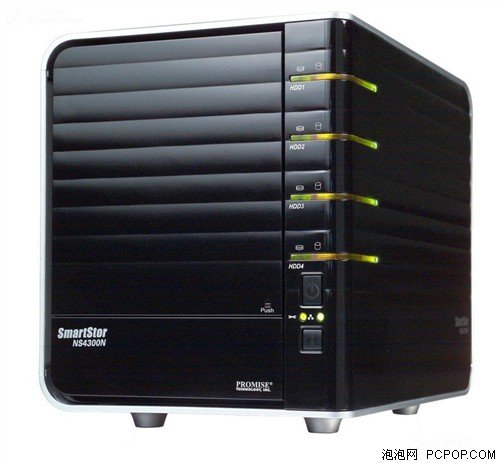
Therefore, Network Attached Storage (NAS) servers emerged to address these needs. NAS servers offer features such as file sharing, data backup, network printing, media server functionality, and file downloads. While a standard computer can perform these tasks, the standard computer platform relies on a basic operating system and software, which can result in compromises in terms of security and cost-effectiveness.
The ultimate professional NAS solution! Prices often exceed 10,000.
NSA is indeed a very useful server system. It not only provides stability but also offers various services for businesses or large network users. However, the more services offered, the higher the price. A professional NAS server that supports 8 common types of services can cost a significant amount, especially if the RAID quantity exceeds 4, which can easily reach tens of thousands of yuan. This is a substantial expense for businesses or individual users. So, what's the best way to reduce costs and still get a NAS server with complete functionality? FreeNAS is a very good option!
BennuiD2500 combined with FreeNAS
Today, I am demonstrating how to build a fully functional NAS server using the "FreeNAS" software, combined with the low-power second-generation Core platform. The Core platform boasts a 1.86 GHz dual-core clock speed and integrated graphics, while consuming only approximately 12W, making it very energy-efficient. Below, we will explore how to build a NAS server using this software, which offers functionality comparable to a server costing tens of thousands of dollars.
FreeNAS (Free Network Attached Storage)
FreeNAS can transform a standard PC into a network storage server. This software is based on FreeBSD, Samba, and PHP, and supports CIFS (Samba), FTP, NFS protocols, Software RAID (0, 1, 5), and a web interface.Dedicated tool. Users can access the storage server via Windows, Macs, FTP, SSH, and Network File System (NFS). FreeNAS can be installed on hard drives or USB flash drives, and occupies less than 16MB of space. It is an excellent choice for building a simple network storage server, and is free.Eliminate the hassle of installing a complete Linux or FreeBSD system.
Optimal pairings for low-power platforms
Additionally, during this test, the Moges D2500 platform was used as the FreeNAS service server. Therefore, the client was controlled using a laptop, and various FreeNAS functions were demonstrated on the laptop.
Installation Process
First, download the "FreeNAS" software. Since it requires booting and loading the installation, it needs to be installed by loading the image within the system. To install it correctly, you need to burn the image to a CD and then select the CD drive during startup.
Installation and Initialization
Once we enter FreeNAS, the system automatically performs some pre-reading and driver installation based on the user's configuration, similar to the common Windows system. This ensures that all components of the platform can function properly. For example, the FreeNAS version we chose is relatively new, so its support for the D2500 platform is quite good, and basically all devices can operate correctly.
Various network address configurations
To configure the server, you first need to select a physical network card and enter the gateway IP address. Use DHCP to automatically assign an IP address, or manually configure the IP address for the FreeNAS platform. After a few seconds, FreeNAS will display a message indicating that the network parameters have been set successfully. The previously configured IP address will be displayed in the upper-left corner of the screen, allowing you to proceed with the next steps on the client.
II. Comprehensive functionality! Practical FreeNAS download functionality testing.
FreeNAS login interface
Once the server-side configuration is complete, the next step is to test through the client. First, access the FreeNAS login interface by opening the IP address of the FreeNAS server that was previously configured.
Mounting Hard Drive
Once you enter the NAS, the first thing you need to do is mount the hard drive. Only after mounting the hard drive can you implement a series of functions.
3. BT download test
BT Download Settings
To add the BT download service, first, go to Service > BitTorrent and click "Enable" in the top-right corner of the interface to activate the BT service. Within the BT download settings, the "Peerport" option does not need to be set; the key is the "Download directory" option, which allows you to select the download directory. This option functions similarly to mounting a hard drive; simply select the corresponding path.
Unlock potential
The following is the dedicated BT download page designed for FreeNAS. Simply click the "Open" button in the top-left corner of the interface to select and download the corresponding BT seed files on your local machine. The operation is similar to that of a typical BT download tool.
BT download detailed information
Once the download starts, users can double-click the BT task to view detailed information about the task, including specific information about the downloaded files, network status, and other common features found in typical BitTorrent download tools. This provides a very convenient experience.
We have observed that NAS servers built using the Benrui platform possess significant capabilities, objectively comparable to high-end products on the market costing over 1,000 yuan. This makes them a practical solution for enthusiasts who enjoy high-definition downloads, small office server users, and those needing a printer server. They also offer effective energy savings. Furthermore, the integrated processor and graphics card on the mainboard provide excellent value for money in terms of overall platform cost.