Recommended Linux System Data Recovery and Management Tools
2014-06-16 00:00:00
According to foreign media reports, computer users have long been troubled by problems such as system crashes, hard disk failures, and excessive memory chip wear. Recently, the Techradar website summarized 12 essential Linux system restoration tools for these problems, as follows:
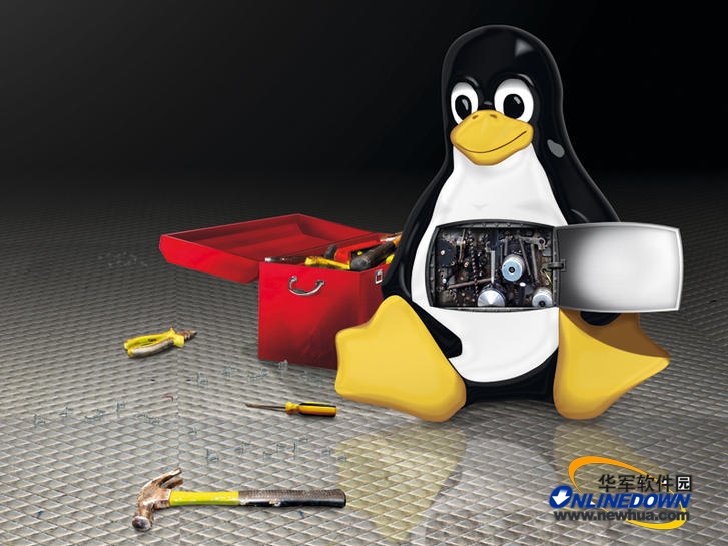
Note that users of the Ubuntu operating system can install the following programs with the package manager — just search for the program name to install.
1. Photorec: recover lost files from various damaged media
Photorec is a free, cross-platform command-line tool that helps users recover accidentally deleted photos. At the same time, Photorec can recover files of almost any other format from a user's removable media or hard disk drive.
It is understood that the areas Photorec can cover include hard disks, optical discs, USB drives, memory cards, and even portable music players such as iPods. It can read data blocks from FAT, NTFS, EXT2/3, and HFS+ partitions, and can help users recover files in more than 300 popular formats, including ZIP, HTML, PDF, and JPG.
2. e2fscktools: check and fix inconsistent file systems
Modern operating systems must perform many read and write operations every day, and as time goes by, users may one day very likely find their file system inconsistent, which calls for a tool like e2fscktools to check and repair EXT2, EXT3, and EXT4 file systems. Meanwhile, users can also use e2fscktools to mark bad disk sectors so they are not used for storing data.
For other file systems, users can use xfs_ repair, jfs_fsck, and fsck.resiserfs for detection and repair.
3. ntfsresize: resize NTFS partitions
Like the e2fsck tools, most mainstream Linux desktop distributions include the ntfsresize tool, which helps users resize 32-bit and 64-bit Windows partitions. When users want to enlarge or shrink a file system, this tool can check the NTFS partition for errors.
4. FSArchiver: copy an entire partition
For a damaged disk, the only effective solution is a backup. Although there are many backup tools on the market today, none is as excellent as FSArchiver.
With FSArchiver, users can save the contents of a file system into a compressed archive, which helps save space, and the backed-up data also supports read-write formats.
5. chntpw: reset the Windows password
There is no doubt that password protection is a good way to ensure account security, but users often forget the account passwords they set. Currently, most web services have a backup scheme that helps users recover passwords, but Windows does not have this capability.
When a user forgets the Windows password, the chntpw tool comes in handy; it can help users reset the password of a Windows installation.
6. Sfdisk: back up the partition table
If a user installs multiple systems on one computer, it can easily lead to a confused partition table. Tools such as Gparted mean that creating and resizing partitions is no longer a chore, but when facing a misaligned partition table, Gparted does not work.
Here, the author recommends the Sfdisk tool to everyone. It is a small command-line tool bundled with every Linux distribution, which can be used to back up, edit, and restore partition tables. It is reported that users can back up the partition table with sfdisk -d /dev/sda > sda_table.txt, and use sfdisk /dev/sda
7. ddrescue: rebuild a damaged disk
Users have always looked for tools that can help them check and correct damaged partitions, but when an old disk or optical drive develops read errors, they are often at a loss. At such a time, users can try using the DDRESCUE tool to back up the damaged disk and then attempt to repair the backup.
8. Rsync: remote backup
Users can use the Rsync tool to back up data over the network; it is a very practical application.
9. GAG: an advanced boot loader
When users install multiple operating systems or clone a boot partition, MBRs can easily be damaged. At such times, users can switch to the GAG boot manager.
It is understood that installing GAG on a disk's primary partition or logical partition can boot 9 different operating systems, and it offers all the features users would expect from a boot manager, including a timer for entering the default operating system and password protection for the configuration menu.
10. Inquisitor: hard disk testing
Inquisitor can help users perform hard disk testing and resolve various problems early. The Inquisitor live CD contains many modules to test various components, such as hard disks, disk controllers, optical drives, USB drives, CPU, and memory.
11. chkrootkit: detect rootkits
Computer viruses have always been a worry for users. chkrootkit can help users check the state of installed programs against many well-known rootkits and scan for intruders.
12. md5deep: search for lost files
Admittedly, users can recover lost files with certain tools, but how can the integrity of files be ensured? If your system has been compromised, an attacker may well have replaced the original files with malicious ones. At such a time, users can use md5deep to record a hash catalog of system files and locate lost files through the hashes.