Full Process Description of Moges Production Management System Installation and Implementation
2026-01-22 16:56:01
To ensure the efficient and stable deployment of the Moges Production Management System (Moges PMS), the client needs to complete the necessary hardware and network environment preparation before the project starts. System installation and configuration are fully handled by the Moges technical team; the client only needs to provide the basic conditions and participate in operation training after deployment to quickly put the system into use.
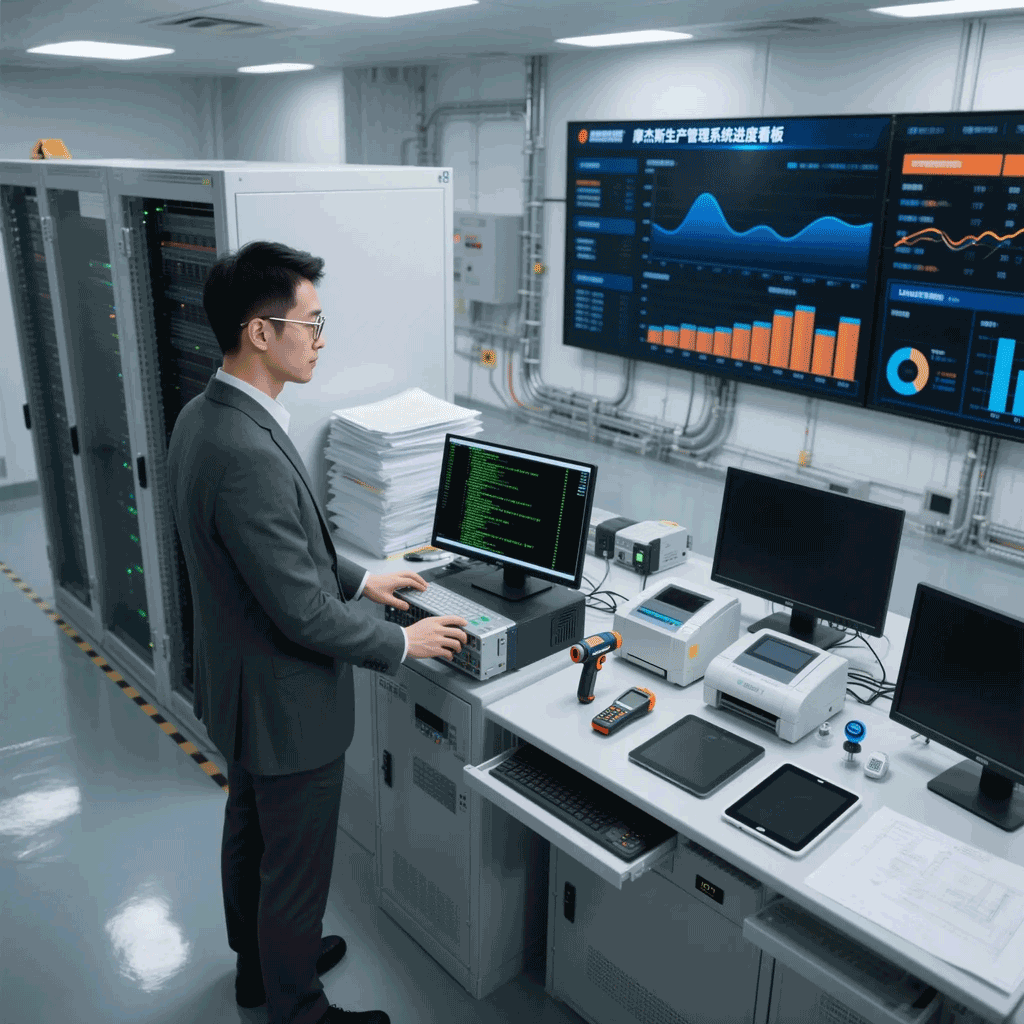
I. Client-Side Hardware and Network Environment Preparation
1. Host/server configuration requirements
Minimum configuration (suitable for small and medium-sized enterprises):
System disk: ≥256GB solid-state drive (SSD)
Backup disk: an additional mechanical hard drive (HDD) for cold backup of data
CPU: 4 cores or more
Memory: 8GB or more
Network card: gigabit Ethernet card
Storage:
Network: a fixed internal IP address must be assigned, to facilitate binding of system services and terminal access
Recommended configuration for large enterprises:
Use professional-grade servers (such as Dell PowerEdge, HPE ProLiant, etc.);
Configure RAID 1 or RAID 10 disk arrays to improve data reliability;
Deploy network storage (NAS) using the SMB protocol for centralized storage of backup logs, reports, and attachment files;
Support multi-server architecture, reserving resources for subsequent Docker containerized deployment.
Note: the installation process requires temporary internet access, for downloading system components, activating licenses, and security updates.
2. Peripheral devices (optional as needed)
Barcode scanners: supporting USB or Bluetooth interfaces, for quickly identifying material/work order barcodes;
PDA handheld terminals:
Android system devices are recommended, with complete functions and good compatibility;
Win CE system PDAs can be basically integrated, but some advanced functions (such as offline synchronization and image upload) are limited;
Printer types: label printers, dot-matrix printers (for multi-copy documents), and laser marking machines (for marking metal parts);
IoT devices: such as sensors, PLCs, and smart meters, for automatic collection of equipment status;
Industrial tablets: deployed on the production floor, supporting touch operation;
Large-screen displays (TV sets):
If the TV supports installing APK applications directly from a USB drive (such as Xiaomi, Huawei, TCL, and other smart TVs), you can directly install the "Large-Screen Dashboard App" provided by Moges;
If the TV does not support installing third-party applications, you need to use an Android TV box (such as Xiaomi Box, Dangbei Box, etc.); install the App on the box and then connect it to the TV to output the picture.
3. Basic installation environment
Provide a monitor, keyboard, and mouse for the server's initial configuration;
Ensure the LAN is unobstructed, and all terminal devices (PDAs, industrial tablets, printers, etc.) can access the server's fixed IP;
It is recommended to turn off the firewall or open the necessary ports (default: 80, 8080, 443, etc.).
II. Moges Company System Deployment
Once the hardware environment is ready, Moges engineers will execute the following standardized deployment process:
Operating system installation
To ensure long-term operational stability, Moges installs Rocky Linux 8 or Ubuntu LTS (long-term support version) as the operating system by default, avoiding the security and performance fluctuations brought by Windows desktop systems and circumventing operating system copyright issues.System service deployment
Install and configure MySQL (main business database) and Redis (cache and message queue);
Deploy the Moges PMS application services;
For large enterprises, adopt a Docker containerized architecture to achieve decoupling of multiple service modules, load balancing, and high availability, ensuring that a failure of any single node does not affect overall operation.
Peripheral joint debugging and network testing
Engineers will test the communication between barcode scanners, PDAs, printers, IoT devices, and the system one by one, ensuring data is uploaded in real time and accurately.Basic operation training: covering core functions such as work order management, work reporting, inventory queries, and equipment inspection;
Administrator training: including operations content such as user permission settings, data backup, and log viewing;
Form and process customization:
According to the client's actual business needs, personalized configuration of form fields, approval workflows, print templates, etc. in the system can be performed;
This work can be completed by Moges engineers on the client's behalf, or maintained by the client's administrators after training (the system provides a visual form designer).
7×12-hour remote technical support;
Regular system health checks;
Free version updates and security patch pushes.
III. Training and System Customization
After system deployment is completed, Moges will organize on-site or remote training:
IV. Formal Launch and Continuous Support
After training and customization are confirmed error-free, the system can be formally put into production use. Moges provides:
Conclusion
The implementation of the Moges Production Management System takes "light burden on the client, high-efficiency deployment" as its core philosophy. The client only needs to prepare the hardware and network according to the specifications; all remaining technical work is completed by the Moges professional team. From a single server to whole-factory digitalization, we help manufacturing enterprises easily step into the new era of intelligent production.