A Real Progress Dilemma at a Custom Machine Builder
2026-07-03 10:03:42
A Real Progress Dilemma at a Custom Machine Builder
Last week I had tea with the owner of a custom automation equipment company. He complained that at ten o'clock on a Saturday night, a customer called asking when a 3-million-yuan assembly line could be delivered. He spent half an hour digging through WeChat groups and Excel spreadsheets and still couldn't say exactly where the project was stuck — design said the BOM was finished last week, purchasing said all the parts had been sent out for machining, and the workshop said two key parts hadn't arrived. Nobody knew where those two parts were at that moment.
In the end, all he could do was apologize to the customer and promise an answer the following week. It took two full days of meetings afterward to figure out what happened: a vendor supplying outsourced parts had a raw material delay, the vendor never proactively mentioned it, and the expediter never followed up — so it silently sat there for 10 days.
This is the current state of progress tracking at most custom machine builders: relying on people to watch, Excel to record, and WeChat groups to ask. It looks like everyone is managing something, but when a problem appears, nobody can find the root cause. When multiple projects are running at the same time, this style of management is almost guaranteed to collapse.
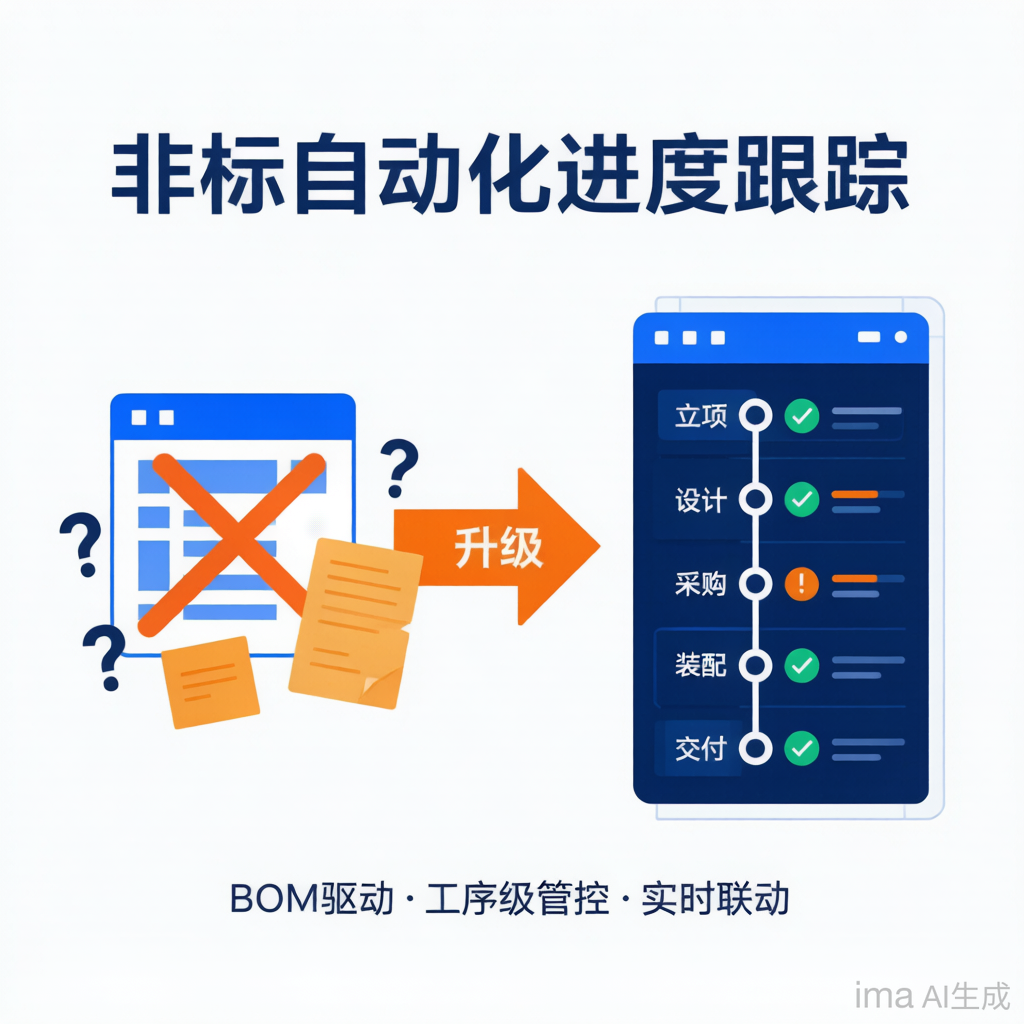
3 Common Mistakes in Custom Automation Progress Tracking
Among the nearly one hundred custom automation equipment factories I have worked with, poor progress tracking almost always comes down to the same three pitfalls — and quite often the people involved never even realize the problem is there.
Mistake 1: Scattered Excel tracking, messy versions and stale information
Progress tracking at many factories looks like this: the project manager keeps one master schedule, design keeps a BOM sheet, purchasing keeps a purchase follow-up sheet, and the warehouse keeps an inventory sheet. Everyone manages their own spreadsheet and syncs files through WeChat.
Change a BOM revision, and design updates its own copy but never syncs it to purchasing. Purchasing orders parts against the old version, and the mistake only surfaces at assembly, causing a full week of delay. Even more common is handwritten status in cells — someone types "in machining" today and forgets to update it next week, so the entire project runs on stale data, and what the owner sees is always outdated.
The core problem: Excel simply does not support real-time multi-user collaboration or version linkage. In custom equipment work, where the BOM changes constantly, errors are not a matter of probability — they are a matter of time.
Mistake 2: Watching only major milestones, ignoring detailed steps
At most companies, the project schedule has only five big milestones: "initiation → design → machining → assembly → delivery". As soon as design releases the BOM, the status flips to "in machining", but nobody tracks the details — which operation is behind, whether outsourced parts have passed inspection, whether standard components have arrived.
By the time a missing part halts production, some component has already been stuck for half a month, and the best window for adjusting the schedule has passed. This kind of coarse milestone management is self-deception in the custom equipment industry — the big milestones look fine while the detailed steps are riddled with holes.
Mistake 3: Progress disconnected from materials, producing fake progress
This is the most hidden and most deadly pitfall. Plenty of project schedules say "80% complete" while half of the key parts are not even in the warehouse, making assembly impossible. Why? Because the progress percentage is filled in by the project manager based on gut feel, with no linkage to actual purchasing, machining, or inventory data.
Progress looks fine on the surface, but one inventory check exposes all the holes. More than 80% of custom project delays come from material problems — if progress is not linked to materials, tracking is just lying to yourself.
A Good Custom Automation Project Progress Tracking Tool Must Meet These 4 Hard Standards
Many people assume a progress tracking tool is just Excel moved online, where everyone fills in status in a browser. That is completely wrong. In this industry every machine is custom-built, and all progress revolves around the BOM, so the tool must fit the actual business logic of custom equipment work. The following four standards are all non-negotiable.
Standard 1: Progress must be BOM-driven, not manually entered
Every custom machine has its own BOM, and all purchasing, machining, and outsourcing tasks are broken down from it. A good tool should:
After the BOM is imported, automatically classify parts as standard, in-house machined, or outsourced, and generate the corresponding tasks in one click
Automatically sync every part status change to the overall project progress
When an outsourced part is inspected and received into the warehouse, automatically update its status without the project manager touching anything
Support multi-level tree BOM management to handle complex machine structures
Support bulk import and export so BOM entry adds no extra workload for designers
The benefit of BOM-driven progress: the data is collected automatically from business actions instead of being typed in by hand, so progress and reality naturally stay in sync.
Standard 2: Must support operation-level tracking, breaking big milestones into actionable steps
Whether a part is machined in-house or sent outside, you cannot just check "is it finished" — you need to track every operation. For example, an in-house structural part goes through cutting, turning, milling, and quenching. If any one operation slips, the system should show it directly instead of waiting for the whole part to be completed before updating status.
For assembly and commissioning, tracking must also reach the specific tasks:
Who is responsible, when it started, and whether it is done
What defects were found during commissioning
Whether defects have been closed and verified
With multi-round commissioning records and closed-loop defect tracking, the same problem will not be missed again and again and push back the delivery date.
Standard 3: Progress must automatically link with purchasing and inventory
As noted above, 80% of custom project delays come from material issues, so progress cannot exist apart from materials. The tool must:
Automatically calculate material gaps in the BOM
Sync purchase order follow-up, receiving, and warehousing data into progress automatically
Flag project progress as abnormal automatically when a key part is short and hasn't arrived
Link every warehouse in/out transaction to the corresponding project part status
Expediters should not have to reconcile spreadsheets every day — the system should warn about exceptions automatically. That is what a tool is for, not turning people into a "human database".
Standard 4: Fine-grained permission control to avoid information chaos
Frontline workers do not need to see project costs and customer information, yet designers must not be blocked from the latest BOM changes. A good tool assigns precise permissions by role:
| Role | Visible Scope | Permissions |
|---|---|---|
| Owner / executives | All project progress, costs, profits | Approve, view |
| Project manager | Full data for their projects | Edit, approve, export |
| Design engineer | BOM of projects they own | Edit BOM, view changes |
| Purchasing staff | Purchase orders and supplier information | Order, follow up, confirm receiving |
| Shop workers | Machining tasks assigned to them | Report work, view operation requirements |
| Customer (optional) | Progress at key project milestones | Read-only view |
Everyone sees exactly what they should — no information leaking around, no sensitive data exposed. Mature tools offer hundreds of independent permission points, precisely assigned per role.
Real Case: How a 30-Person Custom Factory Cut Its Delay Rate by Seventy Percent
A small factory in the Yangtze River Delta building custom equipment for automotive production lines, with a bit over 30 people, used to track progress with Excel plus WeChat groups. At its busiest it ran 12 projects simultaneously; project managers spent all day in the shop floor asking about progress, yet one or two projects still slipped every month, and late-delivery penalties kept piling up.
Later they adopted Moges PMS9 and adjusted how they tracked work. Once the whole process was running, the delay rate dropped by more than seventy percent. Here is the specific workflow:
Project initiation: rule-based project numbers are generated automatically, linked to customer information and contract delivery dates
BOM import: designers finish the BOM and import it directly; part types are split automatically
Task generation: purchase orders, outsourcing orders, and in-house machining tasks are generated in one click
Full-chain tracking: every part's status updates automatically from ordering to warehousing
Exception alerts: material shortages, delays, and overdue operations are flagged automatically, visible to the project manager at a glance
Opening the project list, the manager can see every project's current status, target delivery date, and control points in each stage: which project's in-house parts are stuck at the milling operation, which outsourced part has passed inspection and is waiting to be warehoused, which standard component is still 2 pieces short — everything at a glance, with no need to call department by department.
Finding one part's status used to take more than 10 minutes; now it takes seconds. Exceptions get handled early instead of being discovered half a month late.
Small Factories Need Professional Progress Tracking Tools Even More
Many people think small factories don't need this level of tracking. In fact, the opposite is true. In the custom equipment industry, even a 10-person shop running 3 projects at once runs into information asymmetry: you think a part is being machined when the vendor hasn't even scheduled it.
Delays caused by this information gap can be completely avoided with a tool. Time saved from chasing progress can go into winning one more project. For a 10-person factory, the profit from one or two extra projects a year can easily exceed the cost of the tool.
The Core Logic of Choosing a Progress Tracking Tool
When many factories evaluate a custom automation project progress tracking tool, their first instinct is to ask whether it can produce beautiful executive dashboards and piles of summary reports. For the custom equipment industry, the core need is actually simple:
Where exactly is my project right now?
Which step is it stuck at?
Will it be delayed?
If yes, what can I do right now to fix it?
If your current tool cannot answer these four questions at any moment, consider whether the selection logic was wrong from the start. The core of progress tracking is not "pretty reports" but "real data plus timely alerts". Only progress data that is BOM-driven, operation-level, and linked to materials is a reliable basis for helping custom machine builders end delays and cut costs.
If project progress management is giving you headaches, contact us for a free consultation. Moges has specialized in the custom automation industry for over a decade, and Moges PMS9 was built specifically for custom equipment factories — from BOM management to operation-level progress tracking and material-linked alerts, it has helped many companies sharply reduce delay rates. Contact us to schedule a demo.