Custom Automation Equipment Quotation Template Pitfall Guide: 5 Essential Items + 2 Common Misconceptions to End Losing Money and Losing Orders
2026-07-14 08:01:38
A Real Lesson: A Template Quote of RMB 120,000 Earned Less Than RMB 2,000
Many owners of small and mid-sized custom automation equipment factories, on receiving a new order, first open the browser and search for a "custom automation equipment quotation template," thinking they can find something ready-made, fill in the numbers and issue a quote.
Counterintuitively, the vast majority of quotes issued from free templates downloaded online either lose money or lose the order for being too expensive. The root problem is that your expectation of the template is wrong.
I knew an owner making small loading and unloading custom equipment who quoted RMB 120,000 from a template and expected to earn RMB 18,000. When the project was done and the accounts were settled: design changed three times, he went to the customer site five times for debugging, plus one retrofit to adapt to the customer's existing line, and the miscellaneous costs added RMB 16,000. In the end the whole machine earned less than RMB 2,000; it was work for nothing.
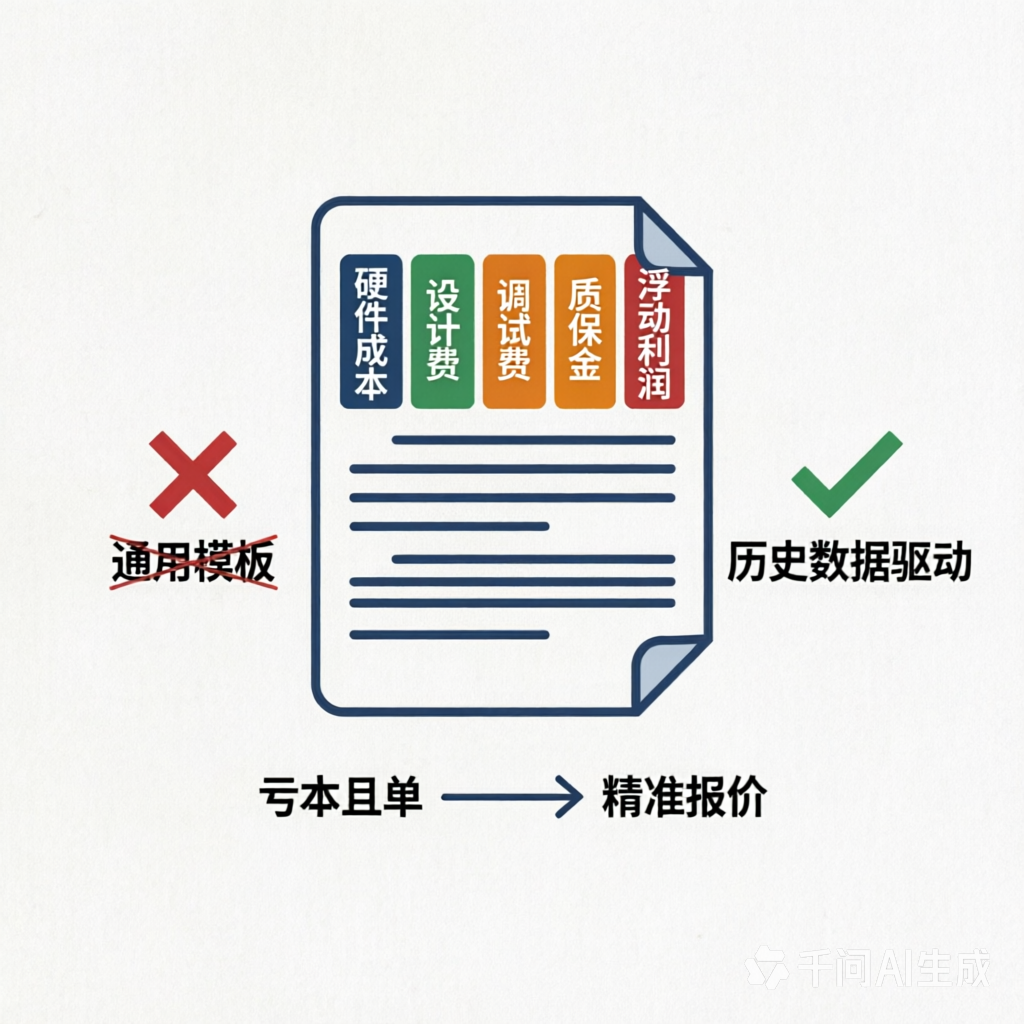
The problem was that the template did not list design changes and on-site debugging as separate hidden-cost items, so he deducted all that money from his own profit, and of course he lost.
Why Do Generic Templates Downloaded Online Always Go Wrong?
The quotation templates you can download free online are basically generic frameworks for standard batch equipment, and they are naturally unsuited to custom projects.
The biggest feature of custom automation is "one design per order"; no two projects are identical. A generic template only leaves you a few big boxes such as "hardware cost, labor cost, total profit" and never reminds you of hidden costs that account for over 20% of a custom project.
| Problem With Generic Templates | Specific Symptom | Consequence |
|---|---|---|
| Missing hidden-cost line items | Only three boxes: hardware, labor, profit; no design changes, debugging, after-sales | Costs missed; profit eaten by hidden expenses |
| Hardware cost lumped together | "Total hardware cost RMB 80,000" in one line, no brand or model detail | Cannot adjust quickly when parts prices rise; cannot tell where the loss is |
| Fixed profit percentage | A uniform 10%-15% markup regardless of project risk level | High-risk projects cannot cover risk; low-risk projects are overpriced and lose orders |
| No change clause reserved | The remarks do not mention how design changes are charged | Embarrassed to charge when the customer changes the plan, so the whole cost comes out of profit |
A Usable Custom Quotation Template Must Contain These 5 Items
Item one: hardware cost split by module; never lump it into one total
The template must give every hardware item its own line: frame, drive motor, cylinder, sensor, control unit, each with brand, model, quantity and unit price. First, the customer sees it clearly and it looks professional; second, when costing, even if a part's price rises temporarily, you can adjust quickly instead of quietly losing money.
Item two: design and development cost listed separately
The core value of custom equipment is the design, not hardware assembly. The template must have a separate column for the design fee; do not hide it in profit. You can charge by design hours or as a lump sum by project complexity. Tell the customer clearly what this fee is for, and saying it up front avoids later disputes.
Item three: on-site implementation and debugging cost, with room for fluctuation
Most custom projects require installation and debugging at the customer site, and travel to remote areas and labor for on-site interface or position changes are unpredictable expenses. List this item separately in the template and reserve about 10% fluctuation; do not spread this money across other projects and absorb the extra cost yourself.
Item four: warranty and after-sales reserve cost
In the industry, custom equipment generally comes with one year of free warranty. The template must reserve 3%-5% of the total quote as after-sales reserve; do not count this money as current profit. Otherwise, when a sensor fails or a motor has a problem after half a year of running, you pay for the replacement parts yourself and the profit is not even enough to cover it.
Item five: floating profit tied to risk, not a fixed percentage
Generic templates usually tell you to add a fixed 10%-15% profit, which does not apply to custom projects:
| Project Type | Risk Level | Suggested Profit Margin |
|---|---|---|
| New project with high complexity and many customer requirements | High | 25%-30% |
| Mature standardized retrofit project done many times | Low | 15%-20% |
The template must leave room for you to adjust the profit percentage; it cannot be fixed.
A Template Is Only a Framework; Accurate Quotes Depend on Your Own Cost Data
Many owners' misconception about templates is thinking that with a universal template they can calculate an accurate quote. In fact the template only helps organize the line items; the core is that you must have real cost data from your own past projects.
For example, for another loading and unloading machine with a 1-meter stroke, how many design hours did the last similar project take, how many times did debugging run, and what was the actual purchase price of the parts? A template cannot give you these numbers.
When Kunshan Moges built cost accounting for small and mid-sized precision machining factories, it found that factories able to record each project's actual consumption clearly cut their quoting error probability by more than half. The system can classify and count design hours, parts purchasing and travel and debugging costs for each project, so the next similar custom quote can pull historical data as reference, far more accurate than a generic template.
I once met an owner doing custom automation supporting work who had always quoted from templates; of 12 projects a year, 4 lost money, and the losses ate half the profit of the other 8. Later he started sorting out each project's actual cost and recording how much every link spent, and half a year later quoting accuracy improved markedly, loss-making projects dropped to under one, and profit took off.
The Two Biggest Pitfalls of Quoting With Templates
Even with the right template framework, carelessness when filling it in easily leads to pitfalls. These two are the ones I see most:
Pitfall one: over-allocating fixed costs
Many templates teach you to spread fixed costs such as factory rent and equipment depreciation across every project. Beginners include all of it, making their quote far higher than competitors and losing the order. In fact, when you run several projects at once, fixed costs should be allocated by each project's share of floor space and equipment hours, not piled entirely onto one project.
Pitfall two: omitting the design-change clause
Most customers change the plan midway through a custom project. Many templates' remarks do not mention how changes are charged, and the owner does not say either. After the customer changes three or five times, you are embarrassed to charge, and the labor and parts for the changes all come out of profit. Earning tens of thousands becoming a few thousand or even a loss all starts this way.
So even if the template does not have it, add it yourself: "This quote is based on the initial plan confirmed by both parties; design changes beyond the plan scope are charged separately." Saying the unpleasant thing up front is better than losing money and arguing later.
Qualified Quote vs Generic Template: Core Differences at a Glance
| Comparison Dimension | Generic Template (Downloaded) | Qualified Custom Quote |
|---|---|---|
| Hardware cost | Lump total, no detail | Split by module with brand, model and unit price |
| Design fee | Hidden in profit or omitted | Listed separately, by hours or complexity |
| On-site debugging | Omitted or fixed amount | Separate line with 10% fluctuation reserve |
| Warranty and after-sales | Not accrued | 3%-5% of total quote accrued as reserve |
| Profit margin | Fixed 10%-15% | Floating by project risk (15%-30%) |
| Change clause | None | Explicitly charges changes separately |
| Cost basis | Numbers by feel | Based on real historical project data |
Implementation Advice: Three Steps to Build Your Own Accurate Quoting System
Step one: build a template framework with all 5 items (1 week). Build an Excel template with the five items above, reserving fields for the design-change clause and floating profit margin, to ensure nothing is missed.
Step two: sort out real cost data for the past half year's projects (2-3 weeks). Classify each project's design hours, parts purchase prices, debugging rounds and travel, and after-sales spending, forming your own cost database.
Step three: review and calibrate after every quote (ongoing). After a project is completed, compare actual cost with the quote and update cost parameters when deviations appear. The longer you use it, the more accurate the data and the quotes.
Summary: Templates Are Static, Data Is Alive
In custom automation, quoting is the first gate. Quote too high and you lose the order; too low and you lose money. Many people want a universal template to solve the problem once and for all, forgetting that the core work is to clarify where every cent is spent.
A template is only a tool; it cannot solve the problem of your own messy cost data. Rather than spending time looking for a perfect template, first sort out the project costs of the past half year. What do you think?